
You sent the email. Your prospect never replied. Then you tested your own inbox — and found it sitting in spam.
1 in 6 emails sent worldwide never reaches the recipient's inbox. For B2B cold email senders in 2026, that number can be even worse — with some poorly configured campaigns seeing 40–60% of emails silently disappearing into spam folders before a single human eye ever sees them.
Here is what makes this so devastating: your dashboard still says "delivered." The email did not bounce. There was no error message. You have no idea anything went wrong — until you notice your open rates have collapsed, your reply rates have dropped to near zero, and your pipeline has quietly dried up.
For 48% of marketers, staying out of spam is their top email challenge. And the consequences are severe: 52.7% of consumers report feeling frustrated, losing trust, or unsubscribing when they regularly find a brand's emails in their spam folder.
The good news: spam placement is almost never random. It is the predictable output of specific, identifiable problems — most of which are entirely fixable once you know what you are looking for.
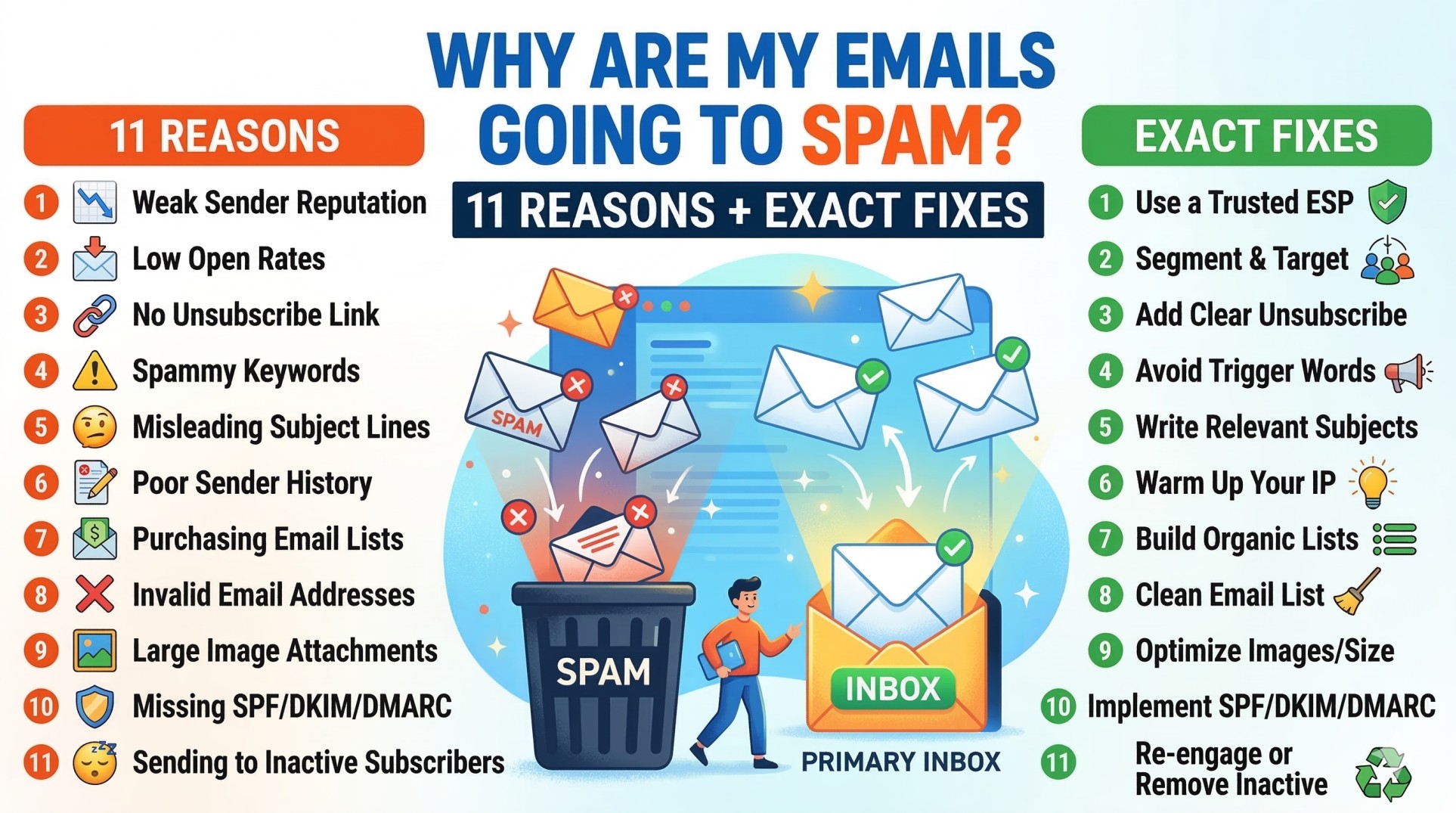
This guide breaks down the 11 real reasons your emails are going to spam in 2026, with exact diagnostic steps and specific fixes for each one — plus a 5-minute checklist you can run right now to identify your problem and a step-by-step recovery plan to get back to the inbox.
Why Emails Go to Spam in 2026: The Big Picture Has Changed
Before the 11 reasons, critical context: in 2026, spam filtering is not primarily about detecting spammy words. Gmail, Outlook, and Microsoft's mail systems evaluate authentication records (SPF, DKIM, DMARC), sender reputation, historical engagement rates, and bounce rates as the primary signals.
The old mental model — "avoid words like FREE and GUARANTEED and you'll be fine" — is dangerously outdated. Modern spam filters are behavioral intelligence systems. They learn from how millions of recipients interact with emails from your domain. They track patterns across time. And they make placement decisions based on systemic trust signals that accumulate long before you hit send on any individual campaign.
If your emails consistently land in spam despite clean content, check your authentication configuration first, then your bounce rate history, then your sending domain's reputation in Google Postmaster Tools. The content is almost never the primary problem for B2B senders.
The 2026 Spam Landscape: By the Numbers
Metric 2026 Data Source Emails never reaching the inbox 1 in 6 (16.7%) CaptainDNS / EmailVendorSelection 2026 Marketers who say staying out of spam is top challenge 48% DeBounce 2026 Global emails sent per day 392.5 billion DeBounce 2026 Gmail spam complaint threshold (triggers filtering) 0.1% Google 2024/2026 enforcement Gmail spam complaint threshold (causes blocking) 0.3% Google 2024/2026 enforcement Websites with valid DMARC record Only 33.4% SparkDBI B2B Deliverability 2026 Websites enforcing DMARC at reject/quarantine Fewer than 16% SparkDBI 2026 Bounce rate before reputation damage begins Above 2% SkrApp.io January 2026 Bounce rate causing measurable inbox placement drop Above 5% SparkDBI 2026 Emails over 2 images increasing spam risk +40% spam risk SkrApp.io 2026 Gmail enforcement shift (warnings → rejection) November 2025 Mailbird Authentication Crisis 2026 Teams cleaning list every 90 days vs annually 37% lower bounce rates SparkDBI 2026
How Spam Filters Actually Work in 2026
Every email you send passes through a multi-layered evaluation that happens in milliseconds. Understanding the layers helps you understand why fixing one problem is not always enough.
EMAIL SENT
    ↓
Layer 1: AUTHENTICATION CHECK
(SPF, DKIM, DMARC — pass or fail immediately)
    ↓
Layer 2: SENDER REPUTATION CHECK
(Domain reputation, IP reputation, blacklist queries)
    ↓
Layer 3: CONTENT ANALYSIS
(NLP, HTML structure, link analysis, image ratio)
    ↓
Layer 4: ENGAGEMENT SIGNAL ANALYSIS
(Historical opens, clicks, replies, spam complaints)
    ↓
Layer 5: PLACEMENT DECISION
(Primary inbox / Promotions / Spam / Reject)
The filters are sequential and cumulative. Failing Layer 1 (authentication) means you never get a fair hearing at Layers 2–4. A perfect Layer 3 (beautiful, clean content) cannot overcome a poisoned Layer 2 (blacklisted domain). Every layer must be healthy for consistent inbox placement.
The 11 Reasons Your Emails Are Going to Spam (And How to Fix Each One)
Reason 1: Missing or Misconfigured Authentication (SPF, DKIM, DMARC)
Severity: 🔴 Critical — Fix This First
If your emails are suddenly landing in spam or being rejected entirely, the most likely cause is authentication misalignment — specifically, your SPF, DKIM, or DMARC records may not be properly configured or aligned with your visible "From" domain.
Authentication is non-negotiable. Domains without SPF, DKIM, and DMARC are the first to be flagged; providers now enforce this as baseline security.
The 2026 enforcement reality: major email providers including Gmail, Microsoft, and Yahoo escalated authentication enforcement throughout 2025, with Gmail making the critical shift from educational warnings to outright rejection in November 2025.
Despite this, only 33.4% of top websites have a valid DMARC record, and fewer than 16% enforce it at the reject or quarantine level. This means the majority of senders are operating without the baseline protection that inbox providers now require.
What each record does:
Record What It Does Without It SPF Authorizes which servers can send from your domain Receiving servers cannot verify your sending server is legitimate DKIM Cryptographically signs your emails to prove they weren't tampered with No proof of email integrity — major trust signal missing DMARC Defines what happens to emails that fail SPF/DKIM + sends you reports No policy enforcement + no visibility into authentication failures
The fix — step by step:
Go to MXToolbox.com → run "Email Health" on your sending domain
Check SPF: does it include all sending services you use? Is it under 10 DNS lookups?
Check DKIM: is a key published for each sending service?
Check DMARC: is there a record? Is the
ruareporting address receiving reports?Fix any failures through your DNS provider (Cloudflare, GoDaddy, Route53, etc.)
Retest after 24–48 hours for DNS propagation
For complete step-by-step DNS configuration with copy-paste examples, see our full email deliverability guide.
Reason 2: Your Domain or IP Is Blacklisted
Severity: 🔴 Critical
Being blacklisted means spam filters across thousands of organizations are actively blocking or downgrading your emails. A single blacklisting event can cut inbox placement rates by 50–90% overnight.
Blacklists are maintained by organizations like Spamhaus (the most influential), Barracuda, SORBS, and SpamCop. Inbox providers query these databases for every email they receive. If your sending domain or IP appears on a major blacklist, most of your emails will never reach the inbox.
How you get blacklisted:
Sending to spam traps (addresses placed by blacklist operators to catch bad senders)
Receiving a spike in spam complaints above 0.3%
Sending from a compromised account or server
Purchasing email lists containing spam trap addresses
Sudden high-volume sends from a new or unwarmed domain
Delisting timelines by blacklist:
Blacklist Auto-Delist Timeline Manual Process SpamCop 24–48 hours (if no new complaints) Not needed — expires automatically Spamhaus Does not auto-delist Manual request at spamhaus.org — fix root cause first Barracuda Does not auto-delist Request at barracudacentral.org — 12–24 hour processing UCEProtect 7-day delay Manual removal at uceprotect.net SORBS Varies Manual request with explanation
The fix:
Go to MXToolbox.com/blacklists.aspx
Enter your sending IP and domain
Identify every blacklist you appear on
Fix the underlying cause (spam complaints, list quality, authentication)
Submit delisting requests — in order of severity (Spamhaus first)
Monitor for re-listing after delisting
Reason 3: High Bounce Rate Damaging Your Reputation
Severity: 🔴 Critical
Bounce rates ruin reputation fast. Crossing 2% starts throttling, while 5% risks blacklisting.
Hard bounces above 2% begin to degrade sender reputation. Above 5%, inbox placement drops measurably across all major providers. Senders who clean their contact list every 90 days see bounce rates that are up to 37% lower than teams who only clean annually.
Every hard bounce — an email sent to an address that does not exist — sends a signal to inbox providers that you are not maintaining list quality. Enough bounces and you look like a spammer sourcing addresses indiscriminately rather than a legitimate sender communicating with real people.
The fix:
Verify your entire list with ZeroBounce, NeverBounce, or Hunter before sending
Remove all hard bounces immediately and permanently — never retry them
Set up automatic hard bounce suppression in your ESP
Re-verify any list that has not been used in 90 days
Never send to purchased lists without fresh verification — they are the single biggest source of bounce-driven blacklisting
Target bounce rate: below 2%. Below 1% is excellent.
Reason 4: Spam Complaint Rate Is Too High
Severity: 🔴 Critical
A spam complaint rate above 0.1% starts affecting reputation. Above 0.3% causes serious deliverability problems. These are not soft guidelines — they are enforced thresholds. Gmail has been particularly strict since February 2024.
Every time a recipient clicks "Report spam" or "This is junk," they are sending an explicit signal to the inbox provider that your email was unwanted. Gmail, Yahoo, and Outlook all track this metric per sending domain. A single bad campaign can shadow your deliverability for months.
The most common causes of spam complaints:
Cause Fix Sending to people who never opted in Only email people with legitimate business reason to hear from you Irrelevant content for the recipient Tighten ICP targeting — irrelevant emails get marked as spam Too-frequent emails Reduce cadence; respect unsubscribe preferences Difficult to unsubscribe Make opt-out one click and instant Purchased or scraped lists Stop immediately — these lists produce outsized complaint rates Generic, impersonal outreach Personalize — irrelevant emails that feel like spam get reported as spam
The fix:
Register for Gmail Postmaster Tools — check your Spam Rate dashboard
Register for Microsoft SNDS — check your complaint rate per IP
Enable FBL (Feedback Loop) with Yahoo, AOL, and Comcast
Immediately suppress every FBL complaint recipient
If complaint rate is above 0.1%, reduce volume immediately and investigate which campaign or segment is generating complaints
Reason 5: Your Inbox Is Not Warmed Up
Severity: 🔴 Critical for New Senders
Sending 50k emails on day one is a clear signal to spam filters. One major reason why emails go to spam in 2026 is no warming process. Inbox providers expect natural growth. Skipping warm-up almost always ends in spam.
A brand-new inbox has no sending history, no engagement signals, and no reputation. When it suddenly starts sending hundreds of cold emails, every inbox provider's fraud detection system interprets this exactly as it looks — like a freshly created account being used for a spam campaign, because that is the most common scenario that looks identical.
The warming schedule that works:
Week Daily Sends What to Monitor 1 10–20 Open rate should be 40%+ 2 20–30 Bounce rate should be under 2% 3 30–40 No blacklist appearances 4 40–50 Spam complaint rate below 0.05% 5+ 50–80 Scale gradually based on metrics
Use an automated warm-up service (Warmup Inbox, Mailwarm, or the built-in warming in tools like Instantly or Smartlead). Keep warm-up running continuously alongside your active campaigns — not just during the initial period. An inbox that stops warming gradually loses the reputation it built.
For the complete warm-up guide and tool recommendations, see our cold email strategy guide.
Reason 6: Sending Too Many Emails Too Fast
Severity: 🟠 High
Consistent sending patterns: inbox providers reward predictable volume. Sudden spikes, like the jump from 500 to 50,000 emails overnight, trigger algorithmic flags even when the underlying list is clean.
A domain that sends 10k emails once a month is more suspicious than a domain sending 300 emails daily. Frequency matters as much as volume. Predictable, consistent sending builds trust. Erratic blasts followed by silence destroy it.
The fix:
Keep daily sends within your safe limit: 30–50 emails per warmed inbox per day
Distribute sends evenly throughout business hours — not in a single morning blast
Use inbox rotation across multiple warmed inboxes and domains to scale safely
Never increase daily volume by more than 20–30% per week
For the complete guide on safe sending volumes and how to scale without triggering filters, read our guide on how many cold emails per day.
Reason 7: Poor List Quality — Spam Traps and Inactive Addresses
Severity: 🟠 High
Inbox providers know. In 2026, trap detection is advanced. One bad segment can push all emails going to spam, even good ones.
Spam traps are email addresses operated specifically to catch senders with poor list practices. They come in two types:
Pristine traps: Addresses that have never been used legitimately — created by blacklist operators and seeded into databases that scrapers and list buyers access. Sending to one proves you either bought a list or scraped addresses without consent. A single pristine trap hit can trigger Spamhaus listing.
Recycled traps: Formerly valid addresses that were abandoned, then repurposed as traps after a dormancy period. Sending to them indicates you have not cleaned your list in a long time.
Engagement metrics now rule inboxing. Opens, clicks, and replies train filters — ignoring inactive users drags all future sends down with them.
The fix:
Never buy or scrape email lists — ever
Verify all lists before sending with a professional verification tool
Suppress any address that has not opened an email in 12+ months
Use email validation tools that flag high-risk and catch-all addresses
Remove role-based addresses (info@, admin@, contact@) — they generate disproportionate complaints
Reason 8: Spammy Content and HTML Structure Problems
Severity: 🟡 Medium (but cumulative with other factors)
Content alone rarely causes spam placement in 2026 for B2B senders with clean infrastructure. But it becomes a decisive factor when combined with other warning signals. Content balance still matters in 2026. More than two images per email raises spam risk by 40%; clean HTML and clear text remain your safest bet.
Content red flags that trigger spam filters:
Red Flag Why It Triggers Filters Fix Excessive images (3+) Classic spam pattern — spammers hide content in images Maximum 1–2 images; 60–80% text ratio URL shorteners (bit.ly etc.) Used heavily by phishing campaigns Use full URLs or custom tracking domains Mismatched links (display text ≠ actual URL) #1 phishing signal Always match display text to destination All-caps words Aggressive marketing pattern Never use ALL CAPS in subject or body Multiple exclamation marks Low-quality promotional content marker One maximum, or none Spam trigger words in context "FREE," "GUARANTEED," "ACT NOW" Replace with natural language HTML copied from Word or websites Bloated, malformed code triggers filters Use clean, minimal HTML or plain text Missing plain text version Legitimate emails always have both versions Configure multipart MIME in your ESP Email over 100KB total size Large emails are suspicious Keep total size under 100KB Links to non-HTTPS URLs Security flag Ensure all linked domains use HTTPS
The content test: Run your email through Mail-Tester.com or GlockApps before any major campaign. These tools analyze your email exactly as a spam filter would and flag specific issues. This 5-minute test before sending can prevent weeks of deliverability damage.
Reason 9: Sending From Your Primary Domain
Severity: 🟠 High for Cold Email Specifically
Sending cold email from your primary business domain — the one your team uses for all internal and client communication — is one of the riskiest decisions a cold emailer can make.
If your cold outreach generates spam complaints, damages your domain reputation, or triggers a blacklisting, it affects every email your company sends: invoices, customer support, sales communications with existing clients, and all internal correspondence.
The fix is simple: register one or more secondary domains specifically for cold outreach (e.g., tryacme.com, getacme.co, acmehq.io) and send all cold email from those. Keep them completely separate from your primary domain. If a secondary domain's reputation is damaged, your primary domain is unaffected.
Naming secondary domains: Keep them professionally similar to your primary brand. Avoid domains that look suspicious or unrelated to your company. A prospect who Googles your sending domain should be able to recognize it as related to your business.
Reason 10: Low Engagement Signals Training Filters Against You
Severity: 🟡 Medium (but compounding)
In 2026, inbox placement is engagement-driven. Mailbox providers assume your emails are unwanted. Result: emails going to spam, even for future recipients who might want them.
This is the engagement trap: once a meaningful percentage of your recipients are not opening, clicking, or replying to your emails, inbox providers learn — across millions of data points — that your emails are low-value. They then begin preemptively routing your emails to spam for all recipients, including those who would have been interested.
Even time-spent-reading is being used as a signal by major providers in 2026. Gmail is particularly sophisticated — it can detect whether an email was opened and immediately closed (indicating it was unwanted) versus opened and read for 30+ seconds (indicating genuine interest).
The engagement loop:
Low personalization / wrong ICP targeting
            ↓
Low open rates + no replies
            ↓
Inbox providers learn your emails are unwanted
            ↓
More emails routed to spam
            ↓
Even lower open rates
            ↓
Reputation degrades further
The fix:
Tighten your ICP — only email people genuinely likely to find your message relevant
Improve personalization depth — irrelevant emails get ignored; ignored emails hurt your reputation
Suppress all contacts inactive for 12+ months
Send re-engagement campaigns before suppression to recover what you can
For cold email: segment your list so your best, most personalized campaigns go to your highest-fit prospects
For the complete personalization framework that protects your engagement signals, read our cold email personalization guide.
Reason 11: Sending on a Shared IP With Bad Neighbors
Severity: 🟡 Medium (for ESP senders)
Your reputation depends on others. One spammer on your shared IP can ruin your deliverability overnight.
When you send through a shared ESP IP pool, you share sending reputation with every other sender on the same IP. If another customer of the same ESP runs a spam campaign, sends to purchased lists, or generates high complaint rates, their behavior degrades the reputation of the shared IP — and your deliverability suffers too.
How to tell if this is your problem:
Your deliverability deteriorates suddenly without any change in your own sending practices
Your authentication, content, and list quality are all clean but inbox placement is poor
Run your sending IP through MXToolbox and compare blacklist status before and after the deterioration
The fix:
Check your ESP's reputation — are they known for strict anti-abuse enforcement?
Request a dedicated IP if you send sufficient volume (typically 50,000+ emails/month)
Consider switching to an ESP with stronger anti-abuse policies if shared IP problems recur
For cold email: use a purpose-built cold email tool with inbox rotation across multiple domains you control rather than a shared marketing email IP
The 5-Minute Spam Diagnostic: Find Your Problem Right Now
Work through this diagnostic in order. The most common, highest-severity problems are at the top. Fix the first problem you find before moving to the next.
Step 1: Check Authentication (2 minutes)
Go to MXToolbox.com → enter your sending domain → run "Email Health"
✅ SPF valid, under 10 lookups, includes all sending services
✅ DKIM key published and verifying
✅ DMARC record present with reporting address
❌ Any failure → Fix authentication before anything else
Step 2: Check Blacklist Status (1 minute)
Go to MXToolbox.com/blacklists.aspx → enter your sending IP
✅ Clean across all major blacklists
❌ Listed on any blacklist → Fix root cause, then submit delisting request
Step 3: Check Gmail Postmaster Tools (1 minute)
Go to postmaster.google.com → check Domain Reputation and Spam Rate
✅ Domain reputation: High or Medium
✅ Spam rate: below 0.1%
❌ Low/Bad reputation or elevated spam rate → Reduce volume, investigate complaint source
Step 4: Run a Spam Test (1 minute)
Send a test email to mail-tester.com or run through GlockApps
✅ Score 9/10 or higher on Mail-Tester
✅ Inbox placement: Primary on Gmail and Outlook
❌ Score below 8/10 → Follow the specific issues flagged by the tool
Provider-Specific Spam Issues: Gmail vs. Outlook
Gmail and Outlook filter emails differently. If you are landing in spam on one but not the other, here is what to investigate:
Gmail-Specific Issues
Gmail's filtering is the most sophisticated and the most engagement-driven. The primary Gmail-specific issues:
Domain reputation: Check Google Postmaster Tools. Low or Bad reputation requires a sustained period of high-engagement sending to recover.
Promotions tab routing: Not the spam folder, but reduces open rates significantly. Caused by marketing-style HTML formatting, multiple links, and promotional language patterns.
November 2025 authentication enforcement: Gmail now rejects unauthenticated emails outright. If your emails were working before November 2025 and broke after, authentication is almost certainly the cause.
Gmail recovery plan: Fix authentication → reduce sending volume → improve personalization → monitor Postmaster Tools weekly → gradually scale back up as reputation recovers.
Outlook-Specific Issues
If your emails reach Gmail but vanish into Outlook's spam folder, you're not alone — and it's fixable. Outlook filters emails differently from Gmail. It relies on the domain reputation, technical setup, and how recipients engage. Even a verified, long-standing sender can lose inbox placement with no warning or error message.
Outlook-specific fixes:
Register for Microsoft SNDS (Smart Network Data Services) for IP reputation visibility
Submit misclassified legitimate emails through Microsoft 365 Defender → Submissions
Check that your sending IP has a valid PTR (reverse DNS) record
Ensure your HTML email has a plain text version — Outlook is particularly sensitive to HTML-only sends
The Complete Spam Prevention Checklist (Pre-Send)
Run every email campaign through this checklist before sending. Every unchecked box is a potential spam folder placement.
Technical Checklist
[ ] SPF record is valid and includes all sending services (under 10 lookups)
[ ] DKIM is configured for the sending domain with 2048-bit key
[ ] DMARC record is published with rua reporting address
[ ] Sending from a secondary domain (not primary business domain)
[ ] Sending domain and inbox have been properly warmed
[ ] Daily send volume is within safe limits (30–50/inbox)
[ ] Custom tracking domain is configured
[ ] Sending IP is clean on all major blacklists
[ ] Domain reputation is High or Medium in Google Postmaster Tools
[ ] Spam complaint rate is below 0.1%
List Checklist
[ ] List has been verified with ZeroBounce, NeverBounce, or equivalent
[ ] Hard bounces from previous sends are permanently suppressed
[ ] Role-based addresses (info@, admin@, contact@) are removed
[ ] Contacts inactive for 12+ months are suppressed
[ ] List was not purchased — all contacts have a legitimate reason to be emailed
[ ] No spam trap risk from unverified or old lists
Content Checklist
[ ] Email is under 100KB total size
[ ] Maximum 1–2 images (0 images preferred for cold email)
[ ] Text-to-image ratio is at least 60% text
[ ] All links go to HTTPS URLs
[ ] No URL shorteners used
[ ] Display link text matches actual destination URL
[ ] Plain text version is present and coherent
[ ] No ALL CAPS, excessive punctuation, or spam trigger words in context
[ ] Unsubscribe mechanism is present (marketing email) or addressable on request (cold email)
[ ] Email passes Mail-Tester.com with 9/10 or higher
How Long Does It Take to Fix Email Spam Issues?
The honest answer: it depends on what broke and how badly.
Issue Time to Fix Time to Recover Missing authentication records 24–48 hours (DNS propagation) 1–2 weeks of clean sending Minor blacklist (SpamCop) Auto-expires in 24–48 hours 1–2 weeks Major blacklist (Spamhaus) Days to weeks (after fixing root cause) 4–8 weeks of clean sending High bounce rate damage Immediate (clean the list) 2–4 weeks High spam complaint rate Immediate (suppress complainers, fix targeting) 4–12 weeks Poor Gmail domain reputation Immediate changes 4–12 weeks of improved engagement Unwarmed new inbox 3–4 weeks (warm-up period) Immediately after warm-up
The most important rule: reputation drops are harder to fix. A single spike in spam complaints can shadow every campaign for months unless monitored with tools like MXToolbox or Postmaster.
Prevention is always faster and cheaper than recovery. Investing in proper infrastructure, list quality, and monitoring before problems occur costs far less than the weeks of degraded deliverability that follow a spam event.
Frequently Asked Questions: Why Are My Emails Going to Spam?
Why are my emails going to spam even though they look fine?
In 2026, content is rarely the primary cause of spam placement for B2B senders. The most likely causes — in order of frequency — are: missing or misconfigured SPF, DKIM, or DMARC authentication; a sending domain or IP on a blacklist; a spam complaint rate above 0.1%; a bounce rate above 2–3%; or a new inbox that has not been properly warmed before sending. Run the 5-minute diagnostic above before making any changes to your content.
Why are my cold emails going to spam?
Cold emails are more vulnerable to spam placement than opt-in marketing emails because they are sent to people who did not request them, which means engagement signals (opens, replies) start lower. The most common cold email spam causes: sending from an unwarmed inbox, missing authentication records, exceeding daily send limits per inbox, poor list quality with high bounce rates, sending from your primary business domain, and using generic content that generates spam complaints. Fix infrastructure first — content is almost never the primary cause.
How do I stop my emails going to spam on Gmail?
For Gmail specifically: (1) configure SPF, DKIM, and DMARC — Gmail began rejecting unauthenticated emails in November 2025; (2) check your domain reputation in Google Postmaster Tools; (3) keep your spam complaint rate below 0.1%; (4) warm up new inboxes before sending; (5) improve personalization to drive engagement signals; (6) clean your list regularly to remove inactive addresses. For marketing email: implement one-click unsubscribe. For cold email: use plain-text formatting and a secondary sending domain.
How do I check if my emails are going to spam?
Four methods: (1) Send a test email to mail-tester.com and check your score — a score below 8/10 identifies specific issues; (2) use GlockApps to test inbox placement across 90+ inbox providers simultaneously; (3) check Google Postmaster Tools for your domain reputation and spam rate with Gmail; (4) maintain seed email accounts at Gmail, Outlook, and Yahoo and send test emails before major campaigns to check placement manually.
Why are my emails going to spam suddenly when they worked before?
Sudden spam placement after a period of working correctly is almost always caused by one of three things: (1) a spike in spam complaints from a recent campaign or segment; (2) appearing on a blacklist after sending to spam trap addresses; or (3) a sudden volume spike that triggered fraud detection. Check Google Postmaster Tools immediately for the spam rate graph — the date the spike began will identify which campaign caused the problem.
Does the word "free" cause emails to go to spam?
Rarely in isolation. Modern spam filters use behavioral intelligence, not simple keyword matching. A single instance of "free" in a legitimate context will not cause spam placement for a sender with strong authentication and good reputation. However, "free" combined with multiple other spam signals — aggressive urgency language, poor HTML structure, weak domain reputation, and low engagement — can be the tipping point. Fix your infrastructure and reputation first; then optimize your content.
How do I fix my email deliverability permanently?
Permanent deliverability requires three sustained practices: (1) technical hygiene — properly configured SPF, DKIM, DMARC, warmed inboxes, secondary domains for cold email, and daily volume within safe limits; (2) list quality — regular verification, immediate bounce suppression, 12-month inactive suppression, and zero purchased lists; (3) engagement quality — tight ICP targeting, genuine personalization, relevant content, and monitoring complaint rates weekly. There is no one-time fix. Deliverability is an ongoing operational discipline. Our complete email deliverability guide covers every element of building and maintaining this system.
The Bottom Line
Your emails are not going to spam because spam filters are broken, random, or unfair. They are going to spam because specific, identifiable signals are telling inbox providers that your emails do not belong in the inbox.
The 11 reasons in this guide account for the vast majority of spam placement events in 2026. Authentication failures, blacklisting, high bounce rates, poor list quality, and unwarmed inboxes are responsible for far more spam placement than spammy content or trigger words — yet content is the first thing most senders investigate, and the last thing most of them should change.
Use the 5-minute diagnostic. Fix the first problem you find. Verify the fix before moving to the next. And build the ongoing monitoring system that catches problems before they become crises.
The inbox is not locked against you. It just requires the right key.
Build your complete email deliverability system: our email deliverability guide covers every technical element from SPF to blacklist recovery, understand your cold email open rates to know when deliverability is impacting your results, fix the cold email mistakes that generate spam complaints, control your sending volume to stay within safe limits, improve personalization to boost engagement signals that protect your reputation, build follow-up sequences the right way, and add email to your full B2B lead generation strategy. Start sending smarter at mailfra.com.
Comments(0)
Loading comments...