
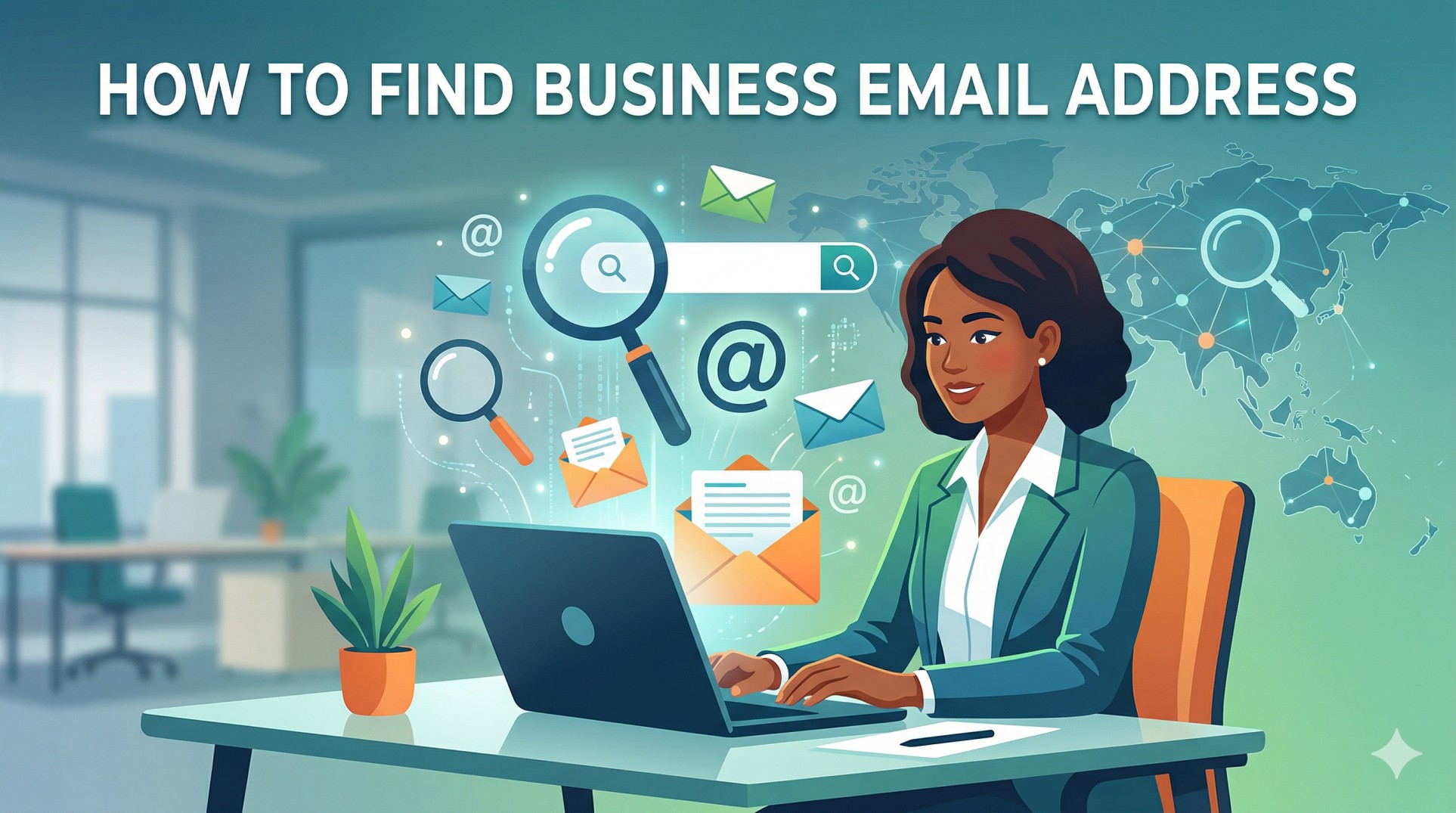
You know exactly who you need to reach. You have their name, their LinkedIn profile, maybe even their company. But you cannot find their email address — and without it, your pitch, your partnership proposal, your job application, or your outreach goes nowhere.
This is one of the most common bottlenecks in B2B prospecting. And in 2026, it is entirely solvable — with the right method for your specific situation.
The most important aspect of successfully sending cold emails is making sure you have the correct email address for the person you're targeting. A bad email address means a hard bounce. Hard bounces damage your sender reputation. And a bounce rate above 2–3% starts triggering deliverability penalties that affect every email your domain sends — not just to the addresses that bounced.
This guide gives you nine proven methods for finding business email addresses in 2026 — ranked by accuracy and speed, tested against real campaigns. You will find the decision flowchart that matches your situation to the right method instantly, the complete tool comparison tested across 95,000 cold emails, the email pattern guide that lets you construct any employee's address from their name and domain, the verification workflow that keeps your bounce rate clean, and the legal guide that keeps you compliant in every major jurisdiction.
The Decision Flowchart: Which Method Should You Use?
Before the methods, the shortcut. Match your situation to the right starting point:
What do you have?
        │
        ├─► Name + Company domain
        │   → Method 1 (Email finder tool) — fastest, 80–98% accuracy
        │
        ├─► Name + Company (no domain)
        │   → Method 2 (Hunter.io domain search) — find domain + email together
        │
        ├─► LinkedIn profile URL
        │   → Method 3 (LinkedIn + Chrome extension) — 70–85% accuracy
        │
        ├─► Name only (no company)
        │   → Method 4 (Google operators) — free, slower
        │
        ├─► Need 100+ emails (same role/industry)
        │   → Method 5 (Sales intelligence database) — scale solution
        │
        ├─► Technical prospect (developer/engineer)
        │   → Method 6 (GitHub search) — unique hack, often reveals work email
        │
        ├─► All methods failed — high-value target
        │   → Method 7 (Pattern guess + verify) — construct and test
        │
        ├─► Company newsletter or content exists
        │   → Method 8 (Content subscription trick) — surfaces real sender address
        │
        └─► Everything failed — prospect is locked down
            → Method 9 (LinkedIn direct outreach) — bypass email entirely
The fastest method is almost always Method 1 — an email finder tool when you know name + domain. Start there. Work down only if the tool returns no result.
Why Business Email Addresses Are Harder to Find in 2026
Before the methods, the context. Finding business emails has gotten meaningfully harder between 2022 and 2026 for three reasons:
1. Privacy regulations have increased. GDPR in the EU, CCPA in California, and CASL in Canada have pushed more organizations to remove employee emails from public-facing pages. Legal teams now routinely advise against publishing individual employee email addresses.
2. LinkedIn has restricted data access. LinkedIn's API has tightened significantly since 2021, making it harder for third-party tools to reliably scrape or access email data from LinkedIn profiles directly. Many tools that worked reliably in 2020 have reduced accuracy today.
3. Data decay is accelerating. People change jobs at record rates. Contact data decays at 2.1% per month — meaning a list that was accurate six months ago is already 12.6% stale. Static database tools with slow refresh cycles produce more bounces.
The good news: the best tools in 2026 have adapted. Real-time verification, AI-powered pattern matching, waterfall enrichment across multiple sources, and daily database refreshes have closed the accuracy gap significantly for teams using the right tools.
Method 1: Professional Email Finder Tools (Fastest, Most Accurate)
Speed: Seconds Accuracy: 80–98% depending on tool Cost: Free tiers available; paid from $9–$49/month Best for: When you know name + company domain
Professional email finder tools are the fastest and most accurate method for the majority of B2B email lookups. You enter a name and domain — the tool searches its database and returns a verified email address with a confidence score.
The 2026 Tool Comparison: Tested Across 95,000 Cold Emails
One reviewer tested 15+ email finder tools across 95,000 cold emails — tracking find rates, bounce rates, and whether credits were wasted on unverified emails. Here are the results:
Tool Verified Accuracy Database Size Free Tier Paid From Best For ZoomInfo 90% 400M+ contacts 50 searches/mo Enterprise pricing Enterprise, large-scale Prospeo 98% (highest tested) 300M+ profiles 75/month $39/mo Best accuracy per dollar Hunter.io 80–85% 200M+ 50 searches/mo $34/mo Domain search + pattern Apollo.io 65–80% 275M+ 50 exports/mo $49/mo All-in-one prospecting Snov.io 70–80% 100M+ 50 credits/mo $30/mo Bulk + drip campaigns Skrapp.io 92% success rate 200M+ 100 emails/mo $29/mo Fast domain search Lusha 70–80% Large B2B 5 credits/mo $29/mo Phone + email combined Signal Plug Real-time verify Crawled Free tier Paid plans Confidence scoring RocketReach 85–90% Multi-industry 5 lookups/mo $53/mo Multi-channel data
The accuracy gap that costs you money:
The difference between a 65% accurate tool and a 98% accurate tool is not marginal. At 1,000 email lookups:
65% accuracy = 350 invalid emails = 35% bounce rate = deliverability emergency
98% accuracy = 20 invalid emails = 2% bounce rate = healthy sending
Always calculate cost-per-valid-email rather than cost-per-credit. A $39/month tool with 98% accuracy is cheaper per valid email than a $9/month tool with 65% accuracy when you factor in the bounces, the verification costs, and the deliverability damage.
Step-by-Step: How to Use Hunter.io (The Most Widely Used Tool)
Go to hunter.io → Enter the company domain in Domain Search
Hunter returns all publicly findable emails at that domain + reveals the company's email pattern
Switch to Email Finder tab → enter first name + last name + domain
Hunter returns the email with a confidence score (0–100)
Verify any result below 90 confidence score before sending
Export verified results to your outreach tool
The pattern reveal trick: Hunter's Domain Search almost always reveals the company's email format — {first}.{last}@domain.com or {f}{last}@domain.com — even when it cannot find the specific person. Once you know the pattern, you can construct any employee's email and verify it.
Method 2: LinkedIn + Chrome Extension (Best for LinkedIn Prospecting)
Speed: 30–60 seconds per profile Accuracy: 70–85% Cost: Most extensions have free tiers Best for: Building lists from LinkedIn Sales Navigator searches
LinkedIn is the world's largest professional database — the problem is that LinkedIn profiles rarely display email addresses directly. Chrome extensions solve this by cross-referencing the LinkedIn profile with email databases in real time.
The Best LinkedIn Email Extensions in 2026
Extension Accuracy Free Tier Best Feature Hunter Chrome Extension 75–80% 50/month Domain pattern detection Kaspr 70–80% 5 credits/month Sales Navigator bulk export Lusha Extension 70–80% 5 credits/month Phone + email combined Snov.io Extension 70–75% 50/month CRM integration Skrapp Extension 65–75% 100/month Direct company website integration
The Sales Navigator bulk export trick: Most Chrome extensions support bulk extraction while browsing LinkedIn Sales Navigator search results — allowing you to extract emails for 25–100 prospects simultaneously rather than visiting each profile one by one. This is one of the highest-leverage time savers in B2B prospecting at scale.
LinkedIn privacy mode: Before visiting a prospect's profile to use an extension, enable private browsing mode in LinkedIn settings (Settings & Privacy → Visibility → Profile viewing options → Private mode). This prevents the prospect from seeing that you viewed their profile before reaching out — preserving the element of surprise in your cold email.
Method 3: Google Search Operators (Free, No Tools Required)
Speed: 2–5 minutes per search Accuracy: 35–50% (only works when email is publicly indexed) Cost: Free Best for: One-off lookups when tools fail; finding email patterns
Google indexes billions of web pages — including team pages, PDFs, conference speaker bios, and press releases where email addresses appear. Strategic operators surface these results.
The 8 Most Powerful Google Operators for Email Finding
1. Exact name + domain:
   "firstname lastname" "@company.com"

2. Name on company website:
   "firstname lastname" site:company.com "email"

3. Name in PDF documents (bios, papers):
   "firstname lastname" filetype:pdf "@company.com"

4. Reveal company email pattern:
   site:company.com "@company.com" -"noreply" -"info"

5. Name + contact/email keyword:
   "firstname lastname" "company name" "contact" OR "email"

6. Name in LinkedIn (sometimes indexed):
   site:linkedin.com/in "firstname lastname" "email"

7. Name on Twitter/X profile:
   site:twitter.com "firstname lastname" "@company.com"

8. Name + GitHub (technical prospects):
   site:github.com "firstname lastname" "@company.com"
The pattern detection shortcut: Even when Google does not surface one specific email, finding two or three emails from the same company domain reveals the format — firstname.lastname@ vs flastname@ vs firstname@. Once you know the pattern, construct any employee's email and verify before sending.
Method 4: Email Pattern Guessing + Verification
Speed: 3–5 minutes Accuracy: 60–90% (after verification) Cost: Free (verification costs ~$0.01/email) Best for: When you know name + domain but tools have no match
Companies use predictable email patterns. Once you know the pattern — through Hunter's domain search, Google operators, or spotting another employee's email — you can construct any employee's address and verify it.
The Common Email Patterns by Company Size
Company Size Most Common Pattern Example Under 50 employees firstname@ john@ 51–200 employees flastname@ jsmith@ 201–1,000 employees firstname.lastname@ john.smith@ 1,000+ employees first.last@ j.smith@ Enterprise Varies — check two known emails —
The Full Pattern List to Test
For any prospect, generate these variations and verify:
firstname@domain.com
lastname@domain.com
firstname.lastname@domain.com
firstnamelastname@domain.com
flastname@domain.com
firstname.l@domain.com
f.lastname@domain.com
firstname_lastname@domain.com
firstinitial+lastname@domain.com
Use a free permutator tool (Metric Sparrow generates 46 combinations automatically) to produce all variations. Then run them through ZeroBounce or NeverBounce to identify the valid one. Send only to the confirmed valid address.
Method 5: Sales Intelligence Databases (Best for Scale)
Speed: Seconds to minutes (for hundreds of contacts) Accuracy: 65–90% depending on tool Cost: $30–$500+/month Best for: Building lists of 100+ prospects at once
When you need emails at scale — prospecting hundreds or thousands of contacts — manual methods do not work. Sales intelligence databases let you filter by ICP criteria and export verified contact lists.
Top Sales Intelligence Databases in 2026
Database Contacts Best Feature Pricing Apollo.io 275M+ 65+ filters + built-in sequencing From $49/mo ZoomInfo 400M+ Highest enterprise accuracy $15,000+/year Cognism Large, GDPR-safe Best for EMEA markets Custom Lusha Large B2B Phone + email combined From $29/mo Prospeo 300M+ 98% accuracy — best value From $39/mo
Method 6: The GitHub Hack (Best for Technical Prospects)
Speed: 2–5 minutes Accuracy: 40–60% (when email is committed to public repos) Cost: Free Best for: Developers, engineers, CTOs, technical founders
One of the best-kept secrets for finding emails of technical professionals: every Git commit includes the committer's email address — and commit histories are publicly accessible on GitHub.
How to use it:
Find the prospect's GitHub profile (search their name on github.com)
Click on any public repository they have contributed to
Find a commit they authored (click "Commits" → find one by their name)
Add
.patchto the commit URL in your browserThe raw patch file shows the full email address in the header:
From: Firstname Lastname <email@company.com>
This method reveals the email address associated with their git configuration — which is frequently their work email. It works with surprising consistency for software engineers, open-source contributors, and technical founders who commit to public repositories.
Method 7: The Newsletter Subscription Trick
Speed: 24–48 hours (wait for confirmation email) Accuracy: 100% when it works — real address of someone at the company Cost: Free Best for: Companies with active content marketing, newsletters, or gated resources
Most companies have a marketing email program. When you subscribe to their newsletter or download their content, the confirmation and welcome emails arrive from a real company email address — often a marketing director, content lead, or even a founder.
The process:
Sign up for the company's newsletter or download a piece of gated content
Check the sender address on the confirmation email (not noreply@ — look for a real name)
Note the email format from the real sender's address
Construct your target prospect's email using the same pattern
Verify before sending
Even if the sender is a marketing person rather than your target contact, their email reveals the company's format — giving you the pattern to construct any employee's address.
Method 8: The Direct LinkedIn Approach (When All Else Fails)
Speed: Days (wait for connection acceptance) Accuracy: N/A — bypasses email finding entirely Cost: Free Best for: High-value prospects whose email cannot be found by any other method
When all eight methods above have failed, stop trying to find the email and use a different channel. LinkedIn direct message bypasses email entirely — and a personalized, researched connection request to the right person at the right company converts at 30–40%.
The connection request that works:
"Hi [Name] — your post on [specific topic] touched on something I keep hearing from [their role]s in [their industry]. Thought it was worth connecting — would love to share a perspective that might be useful for [specific context]."
This is not a cold email workaround. It is a legitimate outreach channel in its own right — and for senior prospects who guard their email address specifically because of unwanted outreach, LinkedIn is often the higher-converting first touch.
Method 9: The Inferred Email from Company Contact Forms
Speed: Days Accuracy: 100% — they respond from a real address Cost: Free Best for: High-value accounts where individual contact is not findable
Some individuals at large organizations have no publicly findable email address by design. In these cases, reach out through the company's general contact form — addressed specifically to the person you are trying to reach — and ask to be connected.
The contact form message that gets forwarded:
"Hi — I'm trying to reach [Name] in [Department] regarding [specific, relevant topic]. I wasn't able to find their direct email. Would you be able to forward this message or share the best way to reach them? Thank you."
A warm, professional, specific request like this gets forwarded more often than you would expect — especially when the subject matter is clearly relevant to the named person's responsibilities.
The Email Verification Workflow: Non-Negotiable
No matter which method you use to find an email address, verify before sending. Every single time.
Sending to unverified addresses generates hard bounces. Hard bounces above 2% begin damaging your sender reputation. Above 5%, inbox providers throttle all your emails — affecting every recipient on your list, not just the ones who bounced.
The Verification Decision Matrix
Verification Result Meaning Action Valid Address exists, mailbox active Safe to send Invalid Address does not exist Remove permanently — never retry Catch-all Domain accepts all email — cannot verify individual Send cautiously — monitor bounce rate Unknown Server didn't respond Retry once after 24h, then treat as risky Role-based (info@, admin@, sales@) Team inbox Remove — high spam complaint rate, low conversion Disposable Temporary address Remove immediately
Best verification tools in 2026:
Tool Accuracy Free Tier Paid From ZeroBounce 98%+ 100/month $15/mo NeverBounce 97%+ Pay-as-you-go $0.008/email Kickbox 97%+ 100/month $5/mo Prospeo (built-in) 98% Included Included Hunter Verify 90–95% Included with Hunter Included
Target bounce rate: under 2%. Below 1% is excellent. Above 3% requires immediate list cleaning and investigation. For the complete deliverability framework that protects your sender reputation once you start sending, read our email deliverability guide.
Is It Legal to Find and Use Business Email Addresses?
Yes — finding and using a professionally published business email address for legitimate B2B outreach is legal in most jurisdictions, with conditions:
Jurisdiction Law Business Email Outreach Key Requirement USA CAN-SPAM ✅ Legal Physical address, unsubscribe, honest sender info EU/EEA GDPR ⚠️ Yes, with conditions Legitimate interest basis + opt-out + data source disclosure Canada CASL ⚠️ Yes, with conditions Implied consent (publicly listed email + business relevance) UK UK GDPR ⚠️ Yes, with conditions Similar to EU GDPR Australia Spam Act ✅ Yes, with conditions Inferred consent for business contacts
The universal safe practice: Only use email addresses found through legitimate, publicly available sources — company websites, LinkedIn, professional directories. Never purchase lists of unknown provenance. Always include an unsubscribe mechanism. Always honor opt-out requests immediately.
Why Mailfra Finds AND Reaches Your Prospects — From One Platform
Here is the problem with most email finding workflows in 2026: you use one tool to find the email (Hunter or Apollo), another to verify it (ZeroBounce), another to send the sequence (Instantly), another to warm up the inbox (a separate warmup tool), and another to analyze the results (a CRM). Five tools. Five subscriptions. Five dashboards.
Mailfra eliminates all of that — under $30/month.
Here is what Mailfra gives you in one platform that replaces the entire stack:
Built-in prospect research — find business email addresses directly within Mailfra. Search by ICP criteria, get verified contacts, and add them directly to campaigns without switching tools or exporting CSVs.
Real-time email verification — every contact found in Mailfra is verified before it enters your sequence. No separate ZeroBounce subscription. No manual verification step.
AI-powered personalization — Mailfra researches each prospect and generates a personalized first line automatically. The kind of personalization that drives 142% higher reply rates — at scale.
AI sequence auto-generation — describe your ICP and goal, and Mailfra writes your complete multi-step outreach sequence. Not templates — genuinely custom, ICP-specific copy.
Built-in email warmup — Mailfra's warmup infrastructure runs continuously alongside your campaigns, protecting your sender reputation as you scale.
Better analytics — see exactly which contacts are opening, clicking, and replying. Know where your pipeline is coming from down to the individual email finder method.
Agency-friendly pricing — manage multiple client campaigns without per-client fees. One flat subscription covers everything.
Teams previously running Hunter ($34/mo) + ZeroBounce ($15/mo) + Instantly ($97/mo) + a separate warmup tool ($30/mo) are consolidating to Mailfra — getting a more integrated, more automated system for under $30/month.
Start finding and reaching your prospects at mailfra.com →
Frequently Asked Questions About Finding Business Email Addresses
How do I find someone's business email address for free?
The best free methods in 2026: (1) Use Hunter.io's free tier (50 searches/month) or Prospeo's free tier (75 searches/month) — enter name + company domain and get a verified email in seconds; (2) Check the prospect's LinkedIn Contact Info section — approximately 15–25% of professionals list their work email publicly; (3) Use Google operators: "firstname lastname" "@company.com" surfaces publicly indexed emails; (4) Subscribe to their company newsletter — the confirmation email sender address reveals the company's email format; (5) Use the GitHub method for technical prospects — commit history reveals work email addresses. Combining these free methods finds 70–80% of business emails without spending anything.
What is the most accurate email finder tool in 2026?
Based on testing across 95,000 cold emails, Prospeo leads with 98% verified accuracy — ahead of Hunter.io (80–85%) and Apollo.io (65–80%). ZoomInfo achieves 90% accuracy for enterprise contacts but costs significantly more. Skrapp claims a 92% success rate with daily-refreshed data across 200M+ profiles. Always calculate cost-per-valid-email rather than cost-per-credit — a higher-priced tool with 98% accuracy is almost always cheaper per valid email than a low-cost tool with 65% accuracy when you factor in bounces and deliverability damage.
Is it legal to find and email someone's business address?
Yes — finding and using a professional business email address for legitimate B2B outreach is legal in the US (CAN-SPAM), EU (GDPR legitimate interest basis), Canada (CASL implied consent for publicly listed business emails), and most other major jurisdictions. The key conditions: use only email addresses found through legitimate public sources, include your physical address and an unsubscribe mechanism in your emails, and honor opt-out requests immediately. Never purchase email lists from unknown sources — the data provenance cannot be verified and creates legal exposure in every jurisdiction.
Why should I verify an email address before sending?
Sending to unverified addresses produces hard bounces. A bounce rate above 2% begins degrading your sender reputation with Gmail, Outlook, and other inbox providers. Above 5%, providers throttle your emails — routing them to spam for all recipients, not just the addresses that bounced. Verification costs $0.008–$0.01 per email — vastly cheaper than the deliverability damage from sending unverified. Run every newly found email through ZeroBounce, NeverBounce, or your tool's built-in verifier before adding it to any sending sequence.
How do I find someone's email when they're not on LinkedIn?
When LinkedIn is not available or not useful: (1) Try the GitHub method if the prospect is technical — commit histories reveal work emails; (2) Use Google operators to surface publicly indexed emails from company websites, PDFs, and press mentions; (3) Subscribe to their company's newsletter or download gated content — the confirmation email sender reveals the email format; (4) Use the email pattern guessing method — identify the company's format from other employees' emails, construct the target address, and verify; (5) For very hard-to-reach prospects, use the company contact form to request a forwarding of your message to the specific person.
How many emails should I send to a prospect who doesn't reply?
Most experts recommend 3–4 emails in a sequence over 2–3 weeks before moving on. If no response, continued emailing damages your reputation and deliverability. Each follow-up should take a completely different angle — new value, new case study, new framing. Never repeat the same message. The final email should be a warm breakup — gracious, brief, door-open — which often generates replies from prospects who were interested but never got around to responding.
The Bottom Line
Finding a business email address in 2026 is not one method — it is a workflow. Start with the fastest, most accurate method for your information. Move down the list if the first method fails. Verify every address before sending. And never let a bounced email become a deliverability problem you have to fight your way out of for the next three months.
The nine methods in this guide cover every situation from a fast single lookup to building a list of 5,000 verified contacts. The tool comparison gives you an honest picture of what works and what costs you more than it should. The verification workflow keeps your sender reputation clean.
And once you have the email? The real work begins. Write something worth opening.
Turn every verified email address into a booked meeting: launch with our complete cold email strategy guide, write cold email templates that get replies, master cold email personalization at scale, build follow-up sequences that capture every available reply, protect your sender reputation with our email deliverability guide, track your cold email open rates to know when your list quality is impacting results, discover every sales prospecting technique that builds your pipeline, and integrate into your complete B2B lead generation strategy. Find, verify, and reach your prospects from one platform at mailfra.com.
Comments(0)
Loading comments...